Verify app signups and trials
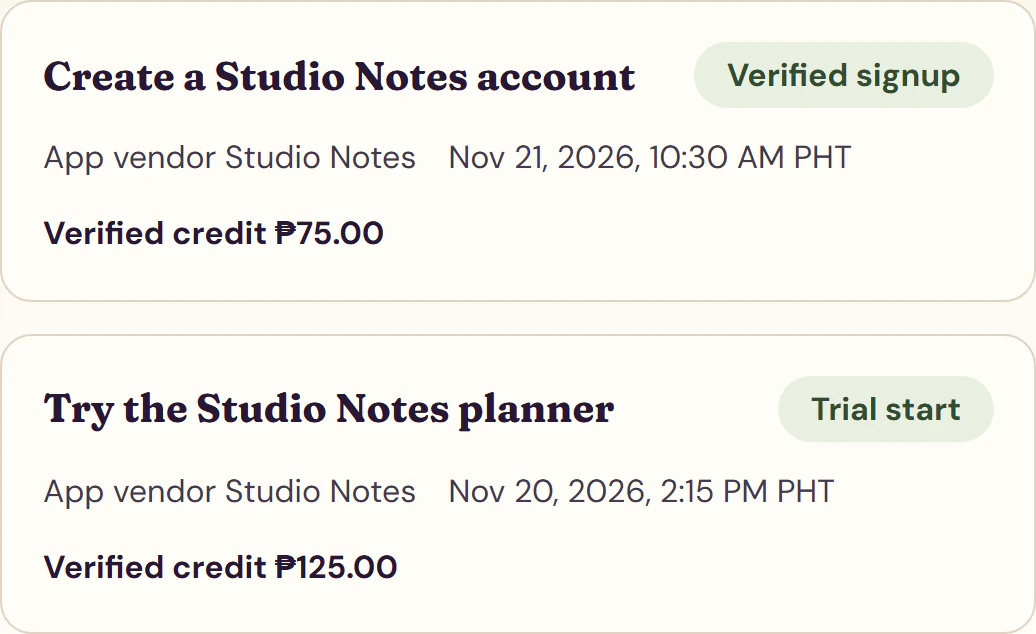
Credit affiliates when your app confirms a referred signup or trial.
Set up the offer
-
Create an app offer
As an app-business vendor, open App verification. Set the app’s destination URL, the qualifying action, and the reward per confirmed action.
-
Connect your app
Copy the webhook URL from Trim and generate a signing key. Save the key in your app server’s secret storage. Generating a new key revokes the current one.
-
Approve the affiliate
The affiliate requests to promote the offer from the homepage or your public vendor profile. Approve the request in My workspace → Connections. Once both sides accept the same Trim collaboration terms, the affiliate can create a link and download a QR code in App verification.
Send a confirmation
When the agreed action occurs, send a signed POST to the webhook URL from Trim. Use signup_verified when the app confirms a new account or trial_started when an eligible account starts its trial.
JSON fields
eventId- A stable, opaque ID for this confirmation.
referralId- The exact
trim_referralvalue from handoff. eventType- The event name that matches the offer.
appAccountId- An opaque account ID. Keep names, phone numbers, and emails in your app.
occurredAt- The action time as an ISO date and time with a time zone, preferably UTC.
Signing headers
Set X-Trim-Timestamp to the current Unix time in seconds. For X-Trim-Signature, use sha256= followed by the hex HMAC-SHA-256 of the timestamp, a period, and the exact JSON bytes you send. Use the full signing key as text.
On each retry, keep the same fields and event ID, and generate a fresh timestamp and signature.
Node.js example
import { createHmac } from 'node:crypto';

export async function sendTrimConfirmation(webhookUrl, signingKey, event) {
  const body = JSON.stringify(event);
  const timestamp = String(Math.floor(Date.now() / 1000));
  const signature = createHmac('sha256', signingKey)
    .update(`${timestamp}.${body}`)
    .digest('hex');

  const response = await fetch(webhookUrl, {
    method: 'POST',
    headers: {
      'Content-Type': 'application/json',
      'X-Trim-Timestamp': timestamp,
      'X-Trim-Signature': `sha256=${signature}`,
    },
    body,
  });
  const result = await response.json();
  if (!response.ok) throw new Error(result.error);
  return result.status;
}verified- Trim credited the action to the affiliate.
duplicate- Trim already counted this confirmation or an equivalent action.
Both results mean delivery succeeded. Vendors and affiliates can review credited actions and rewards in App verification.
For same-machine development, use http://127.0.0.1:8765 with sample accounts and wallet details. From a live app backend, use the public HTTPS webhook URL.
Pay a credited reward
Affiliates can save and share a Philippine mobile wallet from My workspace. After a credit, the vendor can open View payout details to see the shared wallet provider, recipient name, and mobile number.
Send the displayed amount from your wallet app, then record the transfer reference in Trim. The affiliate can find it in Payout history.